
Infernal UI - Hell & Demon Pixel Art Game UI Kit
A downloadable UI kit
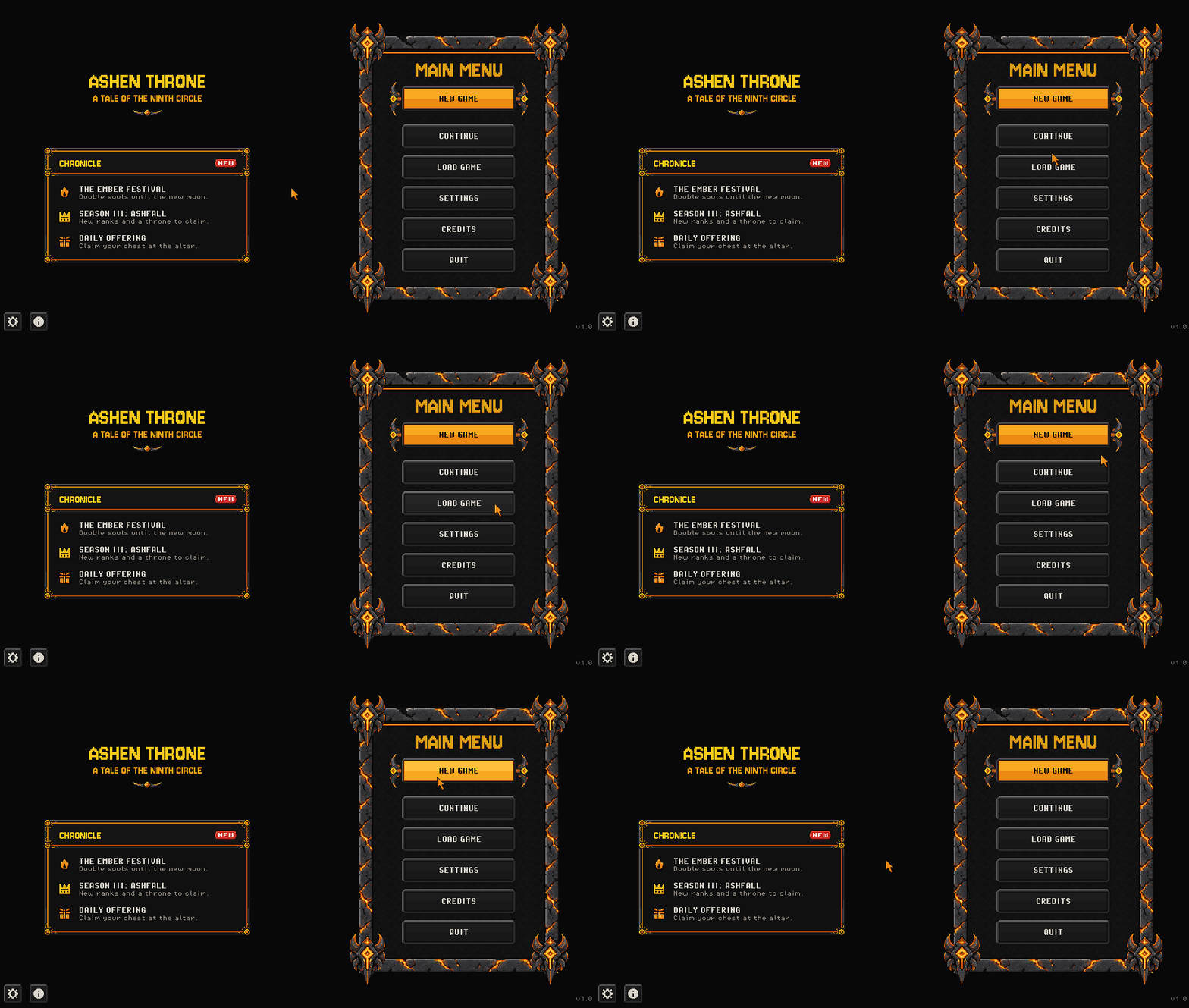
One hell-and-demon pixel art UI pack for your whole game
- 1,099 PNG sprites (502 distinct elements, every state and size) for menus, HUDs, inventories, settings, dialogue and card games
- Buttons in up to 7 states: idle, hover, pressed, focus, selected, selected + focus, disabled. Stone, ghost, text and icon buttons have all 7; the brimstone, hero, danger and small primary buttons and the steppers have idle, hover, pressed, focus and disabled; tabs have 6 (no disabled)
- 79 resizable 9-slice frames with published insets in manifest.json, plus cut pieces and ready-made sizes
- 481 icons: 122 subjects, each at 24 and 48 px, most with a disabled version
- Made for a 960x540 screen: pixel-perfect at 1080p (2x), 1440p (3x) and 4K (4x); every file ships at 1x, 2x, 3x and 4x
- Fonts included: Pixel Operator (CC0) and Jersey 10 Infernal (OFL)
Plain PNGs work in any engine: Godot, Unity, GameMaker, Defold, Phaser, RPG Maker, LOVE. The README has 9-slice setup notes for Godot, Unity, GameMaker, Phaser and CSS.
Try it free first: Infernal UI Lite (127 sprites, commercial use OK).
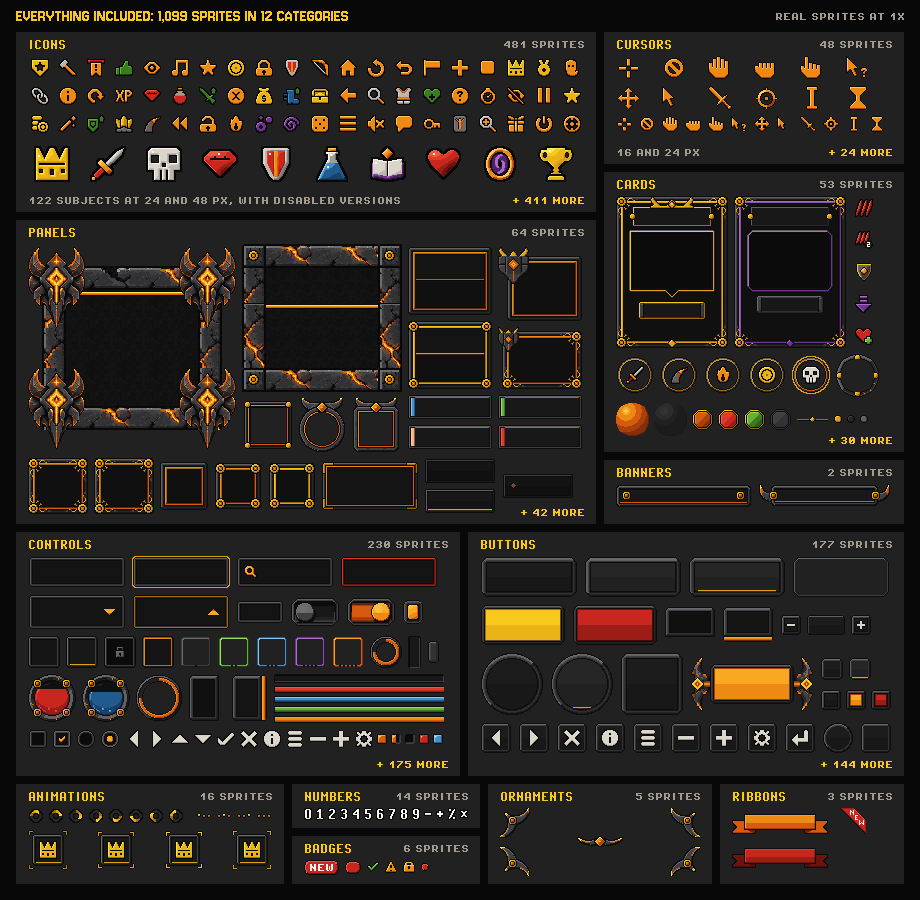
Everything included
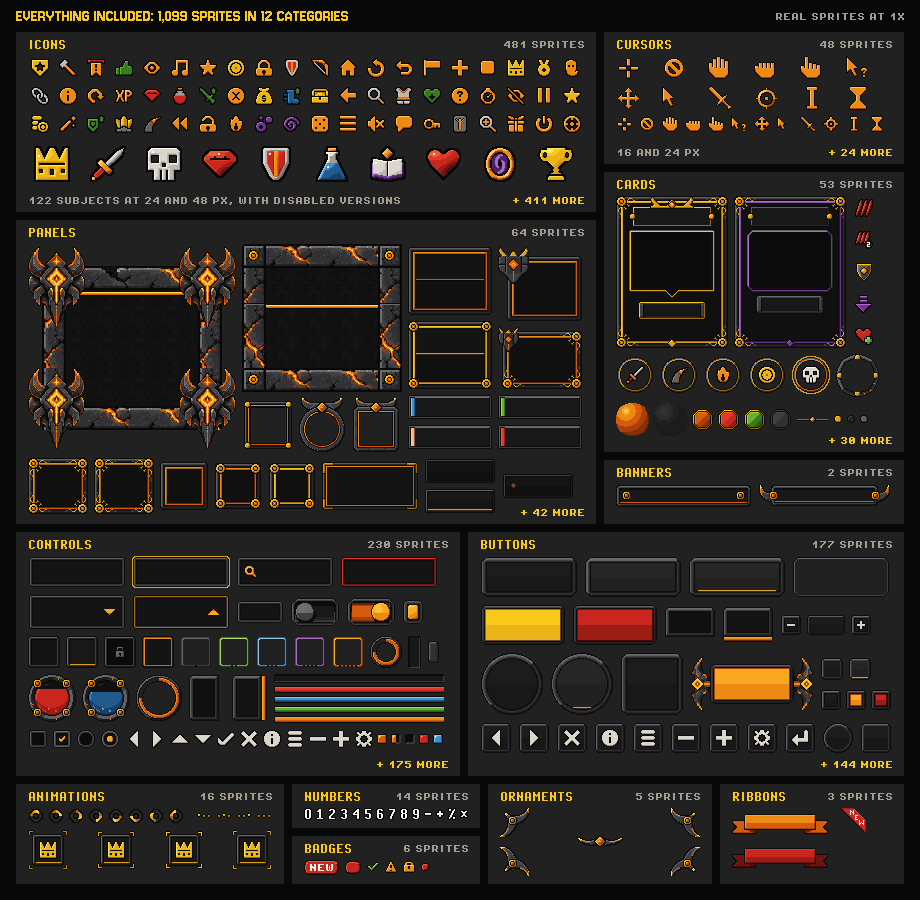
| Group | Sprites | Elements |
|---|---|---|
| Icons: 122 subjects at 24 and 48 px, most with disabled versions | 481 | 244 |
| Controls: bars, orbs, radial meters, pips, slots, rarity frames, equipment slots, checkboxes, radios, toggles, sliders, fields, dropdowns, scroll bars, key caps | 230 | 94 |
| Buttons, icon buttons, tabs and steppers | 177 | 33 |
| Panels, windows, dialogue, popups, toasts, tooltips, HUD frames | 64 | 46 |
| Deckbuilder: cards, enemy intents, run-map nodes | 53 | 28 |
| 12 cursors in two sizes (16 and 24 px), idle and click | 48 | 24 |
| Banners, ribbons, badges, ornaments | 16 | 16 |
| Animations (frame timings included) | 16 | 3 |
| Numbers | 14 | 14 |
| Total | 1,099 | 502 |
Also in the zip: 7 example screens at 1x and 2x with layout files, sprite sheets (Aseprite JSON), 9-slice pieces and ready-made sizes, the palette, manifest.json, README.md and CHANGELOG.md.
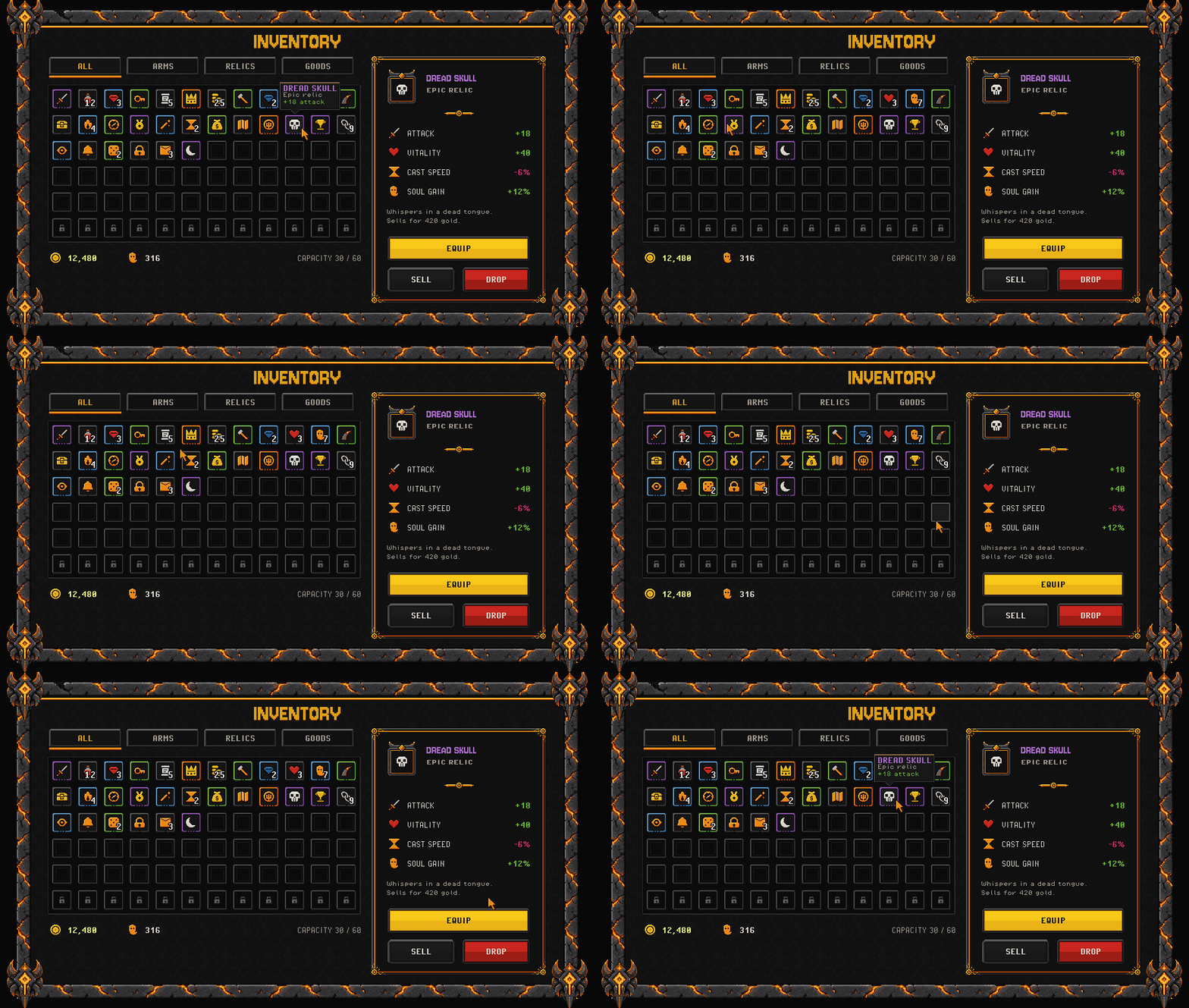
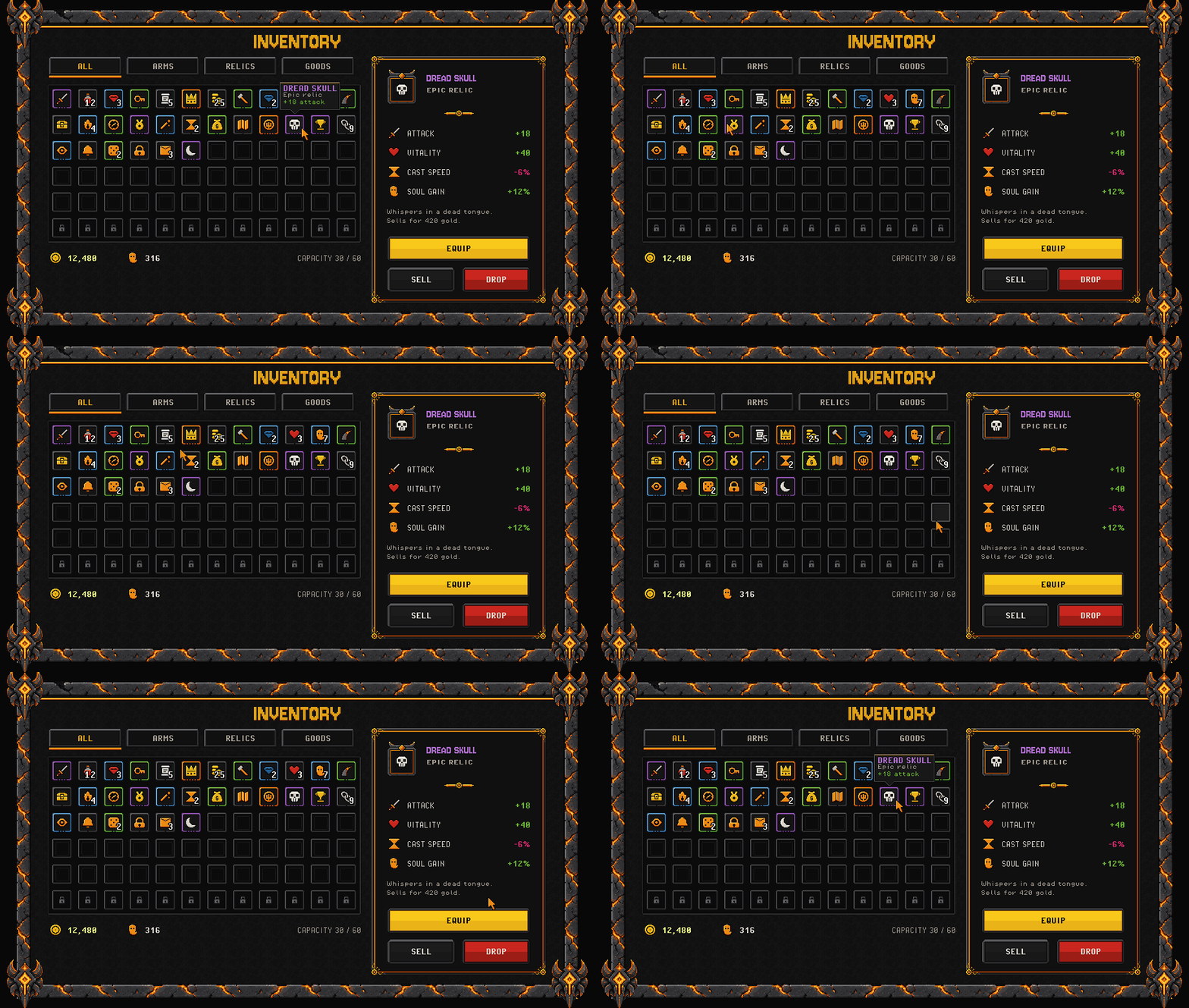
Inventory windows, item slots with stack counts and rarity frames, equipment silhouettes and tooltips.
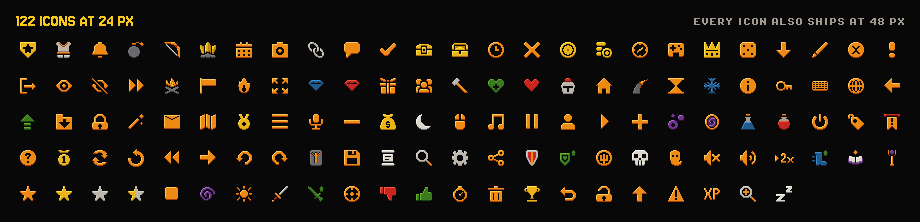
Every icon comes at 24 px for slots and lists and at 48 px for rewards and tooltips. The 48s carry more detail, not just more pixels.
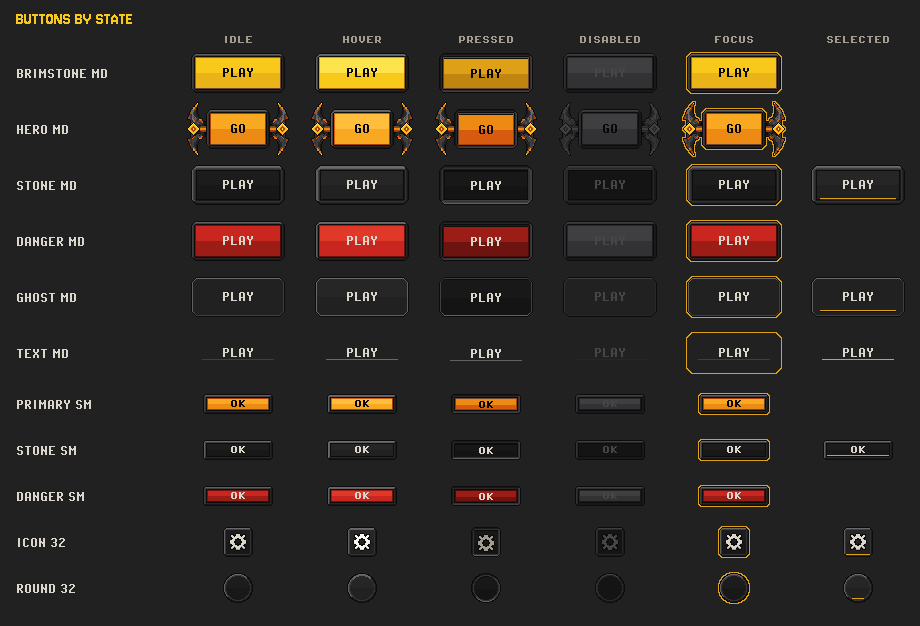
Brimstone, hero, stone, danger, ghost and text buttons, small buttons and icon buttons, state by state. Tabs and steppers are in the zip too. Labels are yours: the buttons ship blank.

States and animations: a button, a slot and a toggle stepping through their states, and the three animations with their frame timings (a spinner, loading dots and a selection bracket).
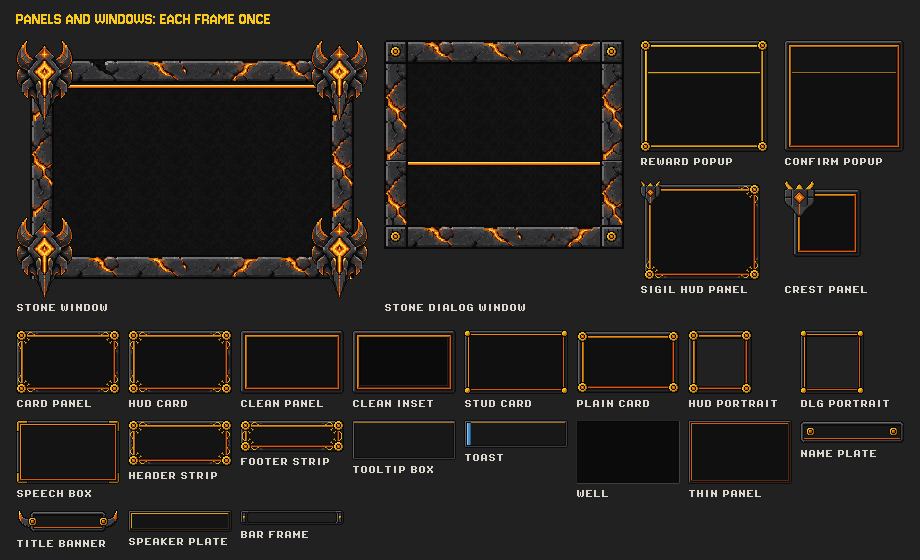
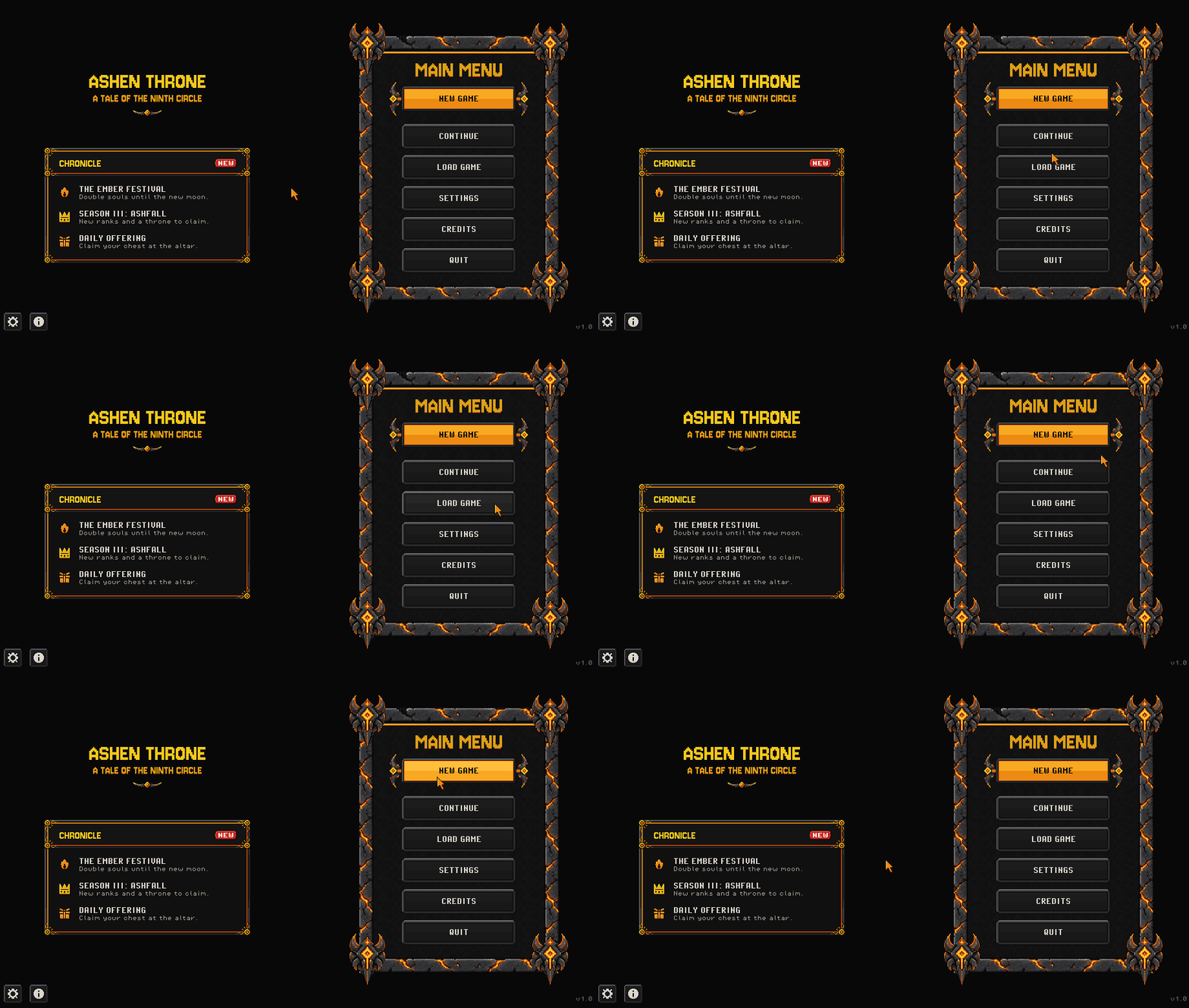
Windows and panels stretch to any size from one 9-slice sprite, and the ready-made settings, pause and modal windows drop straight in.
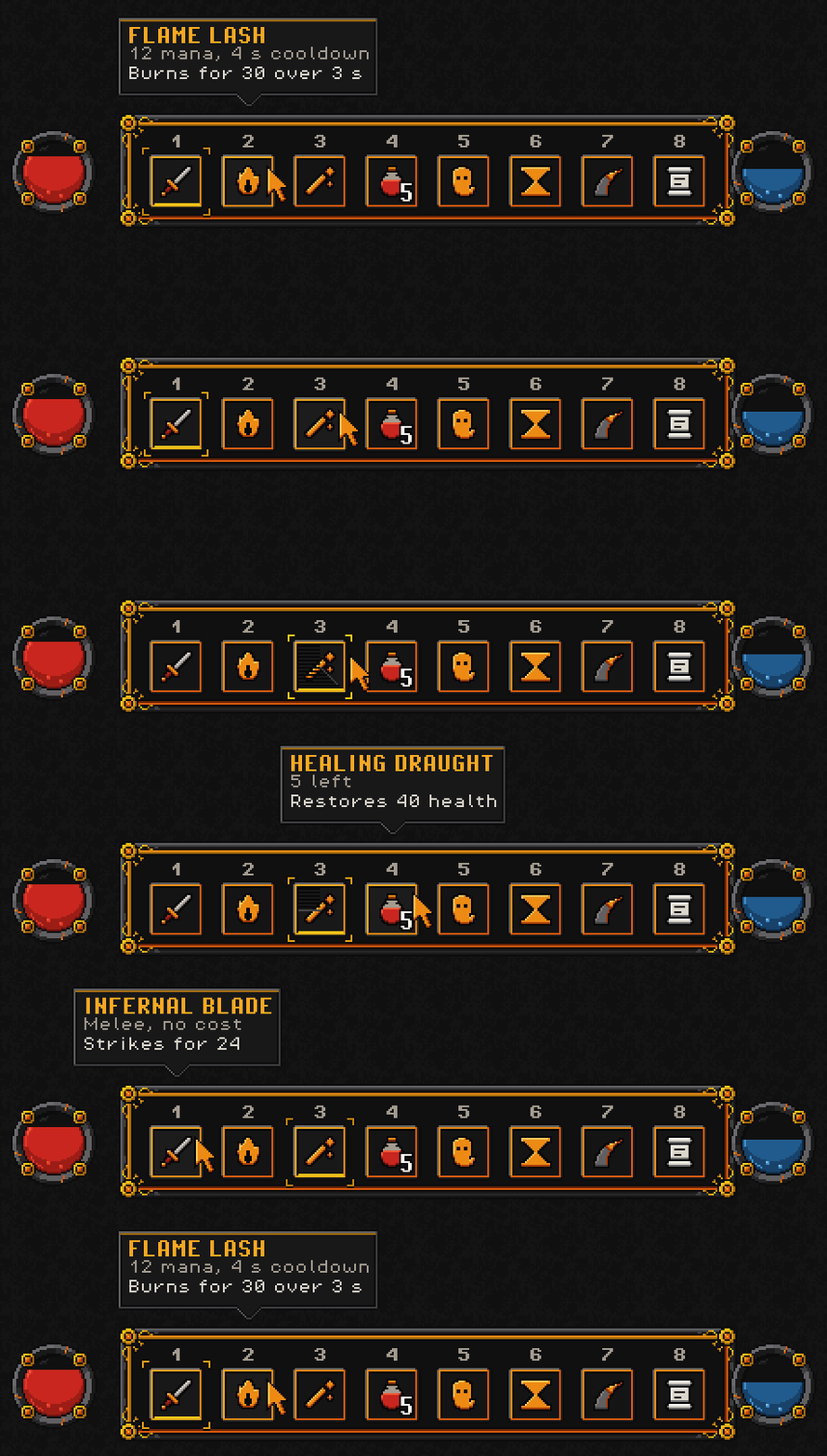
HUD parts for action games: hotbar slots, health and mana orbs, a boss bar, radial meters, a cooldown overlay and toasts.
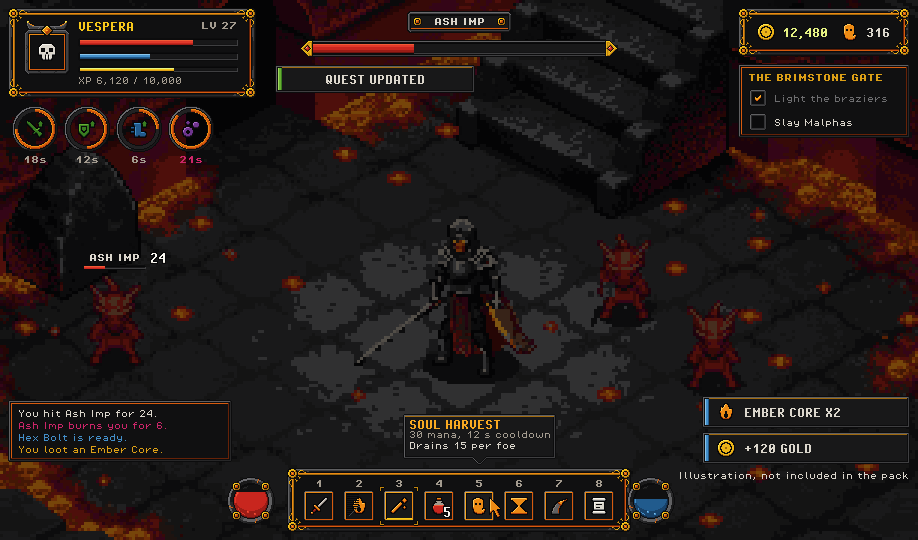
The same HUD over a game scene. The scene is an AI-generated illustration and is not included; the HUD is all pack sprites.
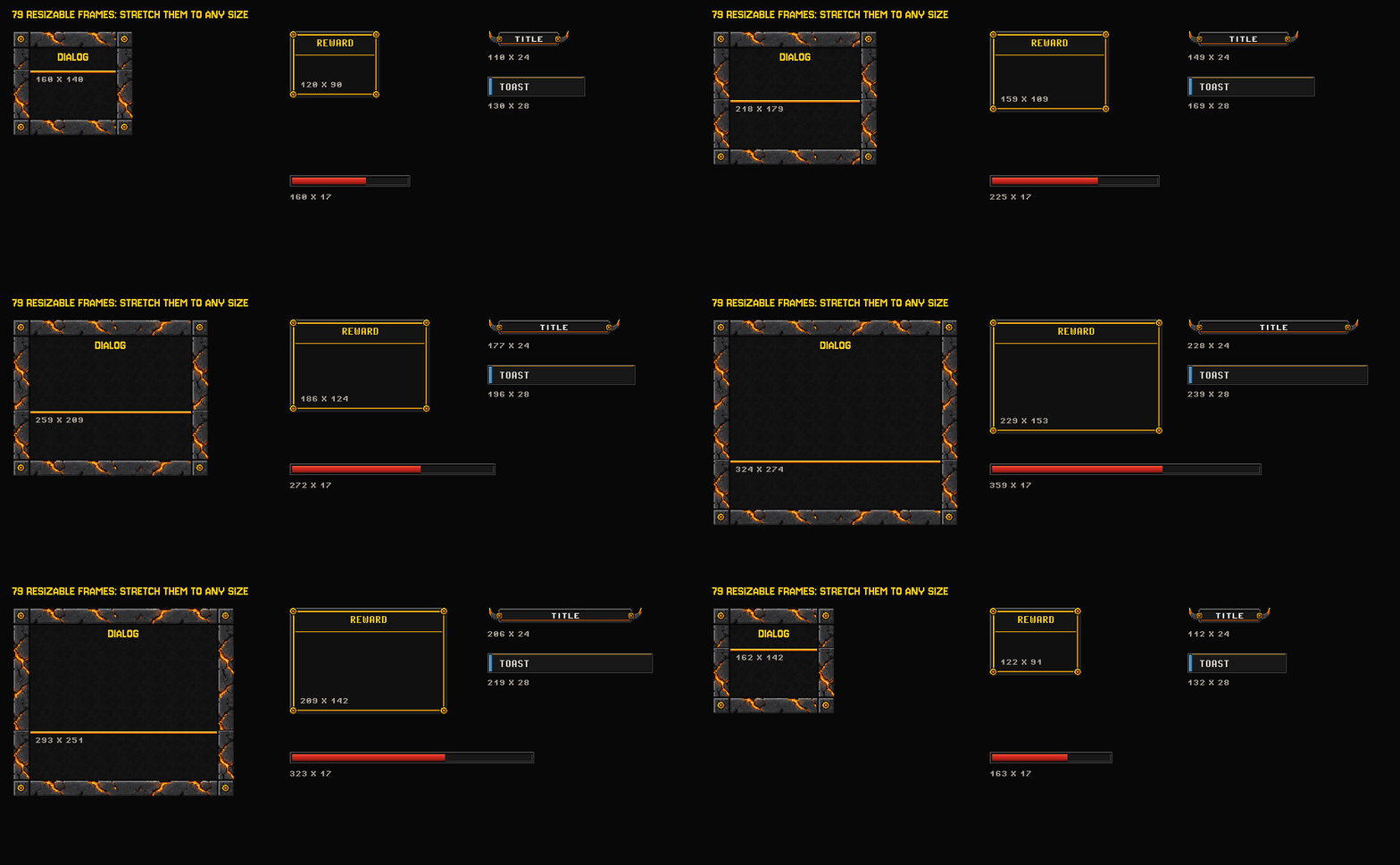
79 resizable frames. Ready-made sizes and cut pieces are in the zip for engines without 9-slice.
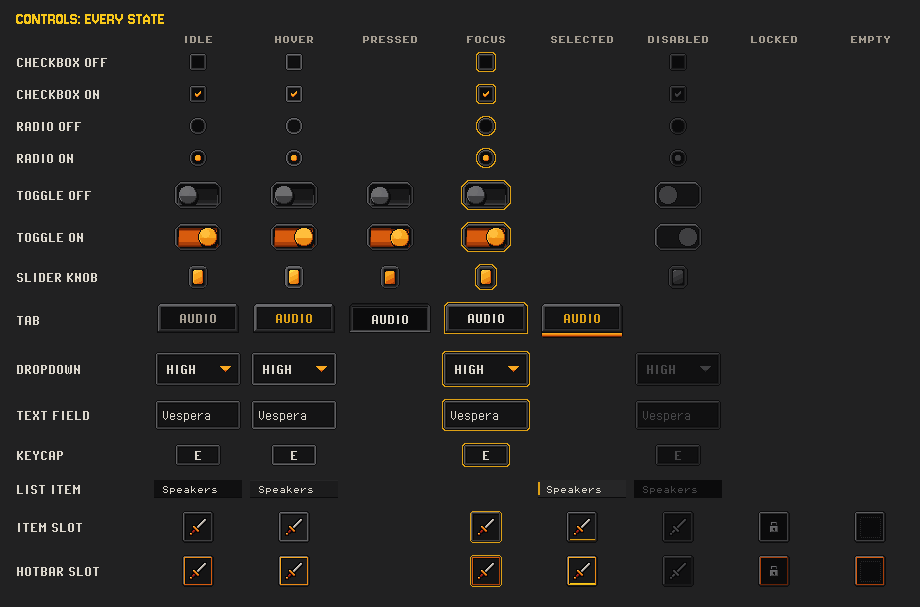
Checkboxes, radios, toggles, slider knobs, tabs, dropdowns, text fields, key caps, list items and slots, each in the states it has.
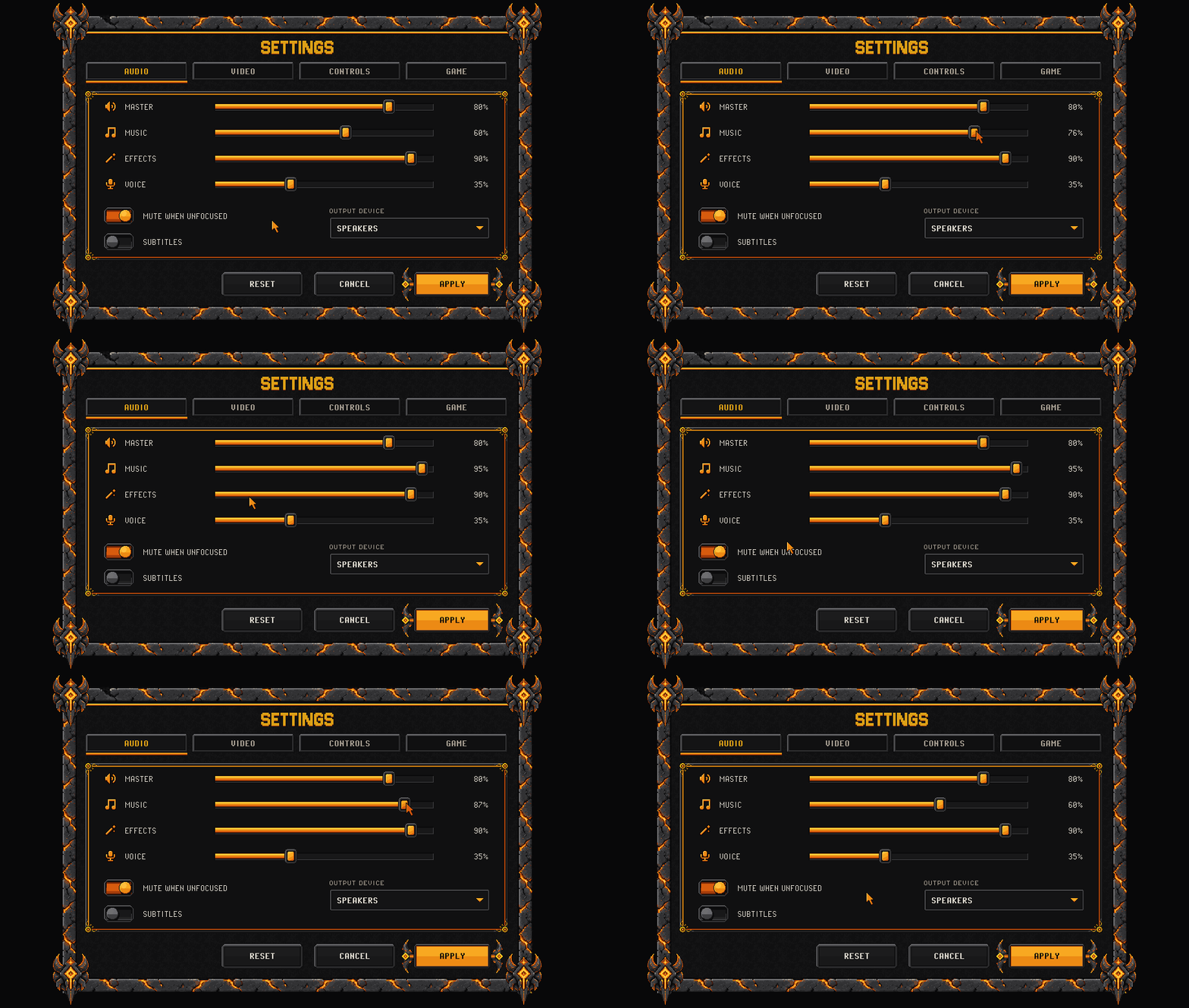
A settings screen that works: tabs, volume sliders that hover and drag, toggles, a dropdown and stone buttons.
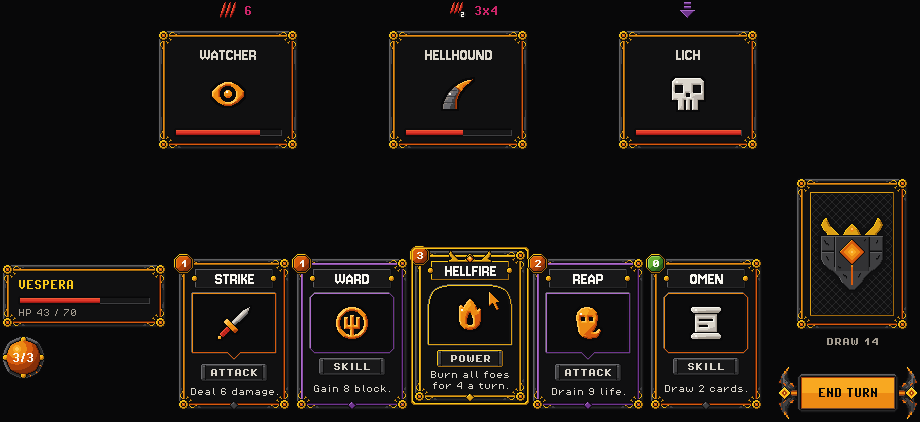
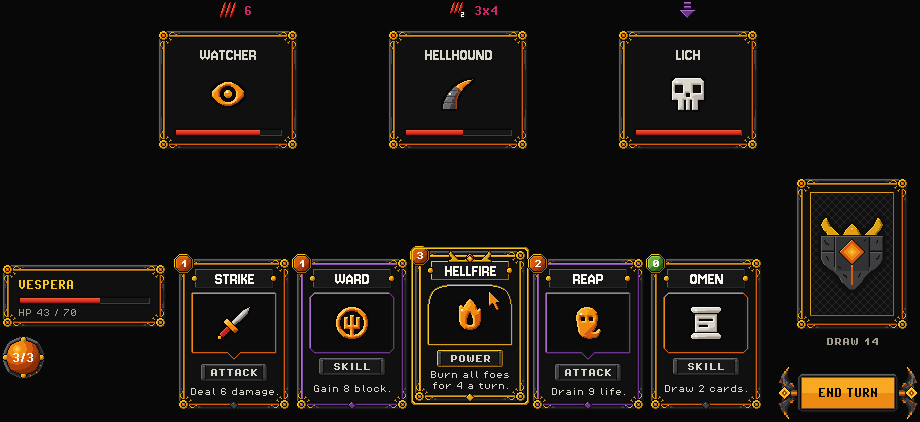
A deckbuilder module: card frames by rarity and type, cost gems, energy orbs and enemy intents.
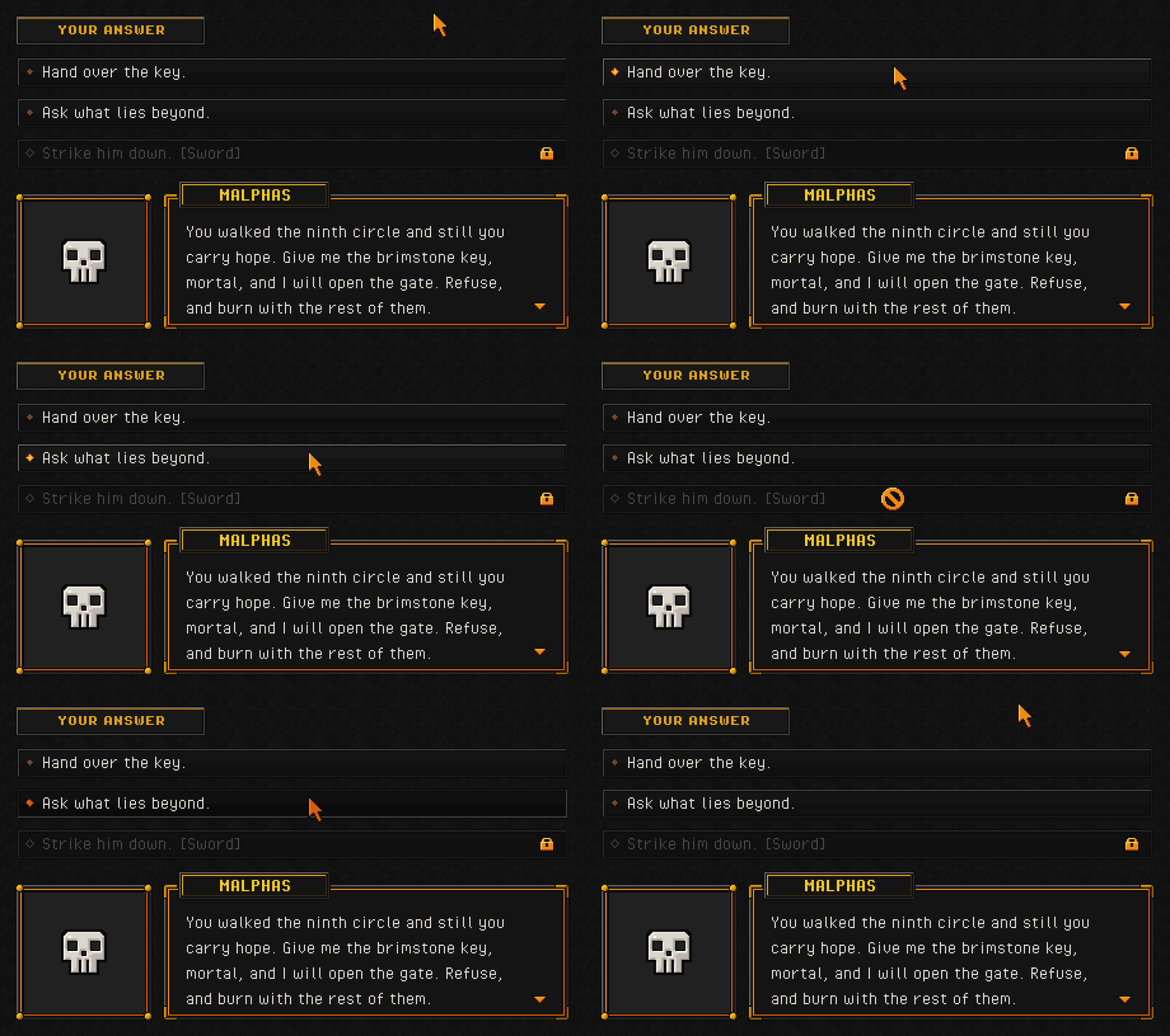
Dialogue boxes with portrait frames, name plates and answer choices.
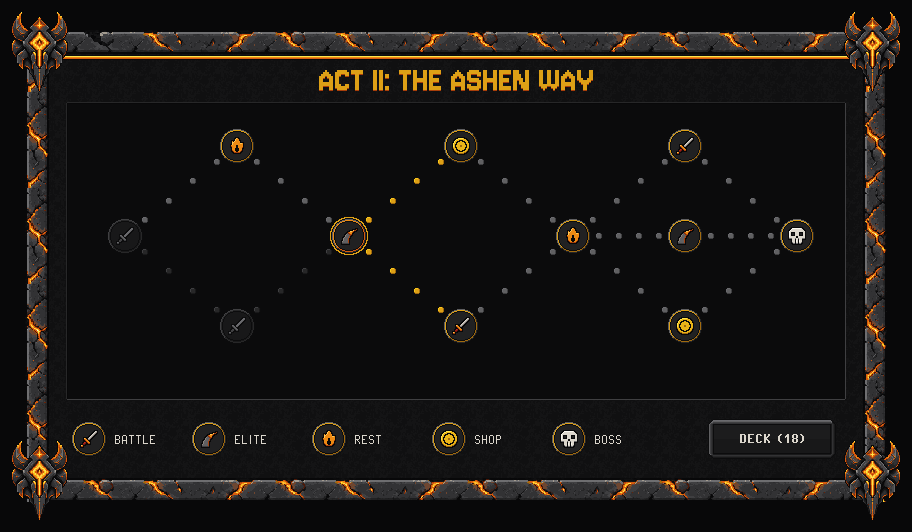
Run-map nodes and paths for roguelike card games.
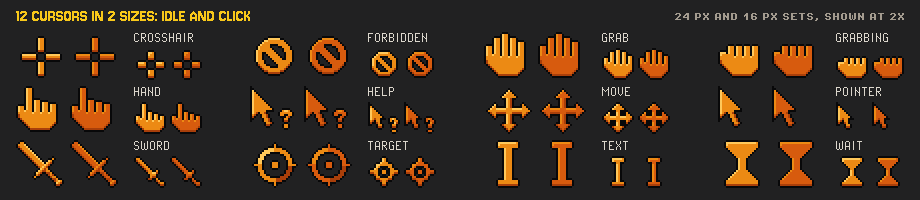
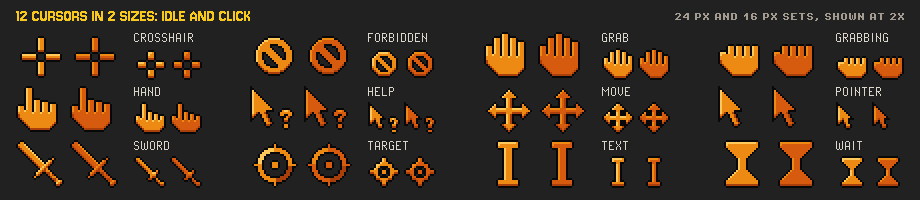
12 cursors in two sizes (16 and 24 px) with hotspots, each with an idle and a click state.
Built for AI-assisted development
The full zip ships three kinds of file written for coding assistants, so an assistant can build a screen from the pack's own data instead of guessing:
- LLM_GUIDE.md: how the pack is named, how to draw a 9-slice, text placement, bars, slots and the card module.
- catalog.json: one entry per element (502), with its category, sizes, states, 9-slice flag and a "use this when" line.
- 7 screen layout files (screens/layout/screen_*.json): every placement of the example screens, so an assistant can copy a proven layout.
Try it: point Claude Code, Cursor or Copilot at LLM_GUIDE.md and ask "Build a settings screen with Infernal UI".
Lite vs full
| Lite (free) | Full ($4.99) | |
|---|---|---|
| Sprites | 127 sprites, 48 elements | 1,099 sprites, 502 elements |
| Scales | 1x, 2x | 1x, 2x, 3x, 4x |
| Contents | a window with title bar, a card, an inset panel and a tooltip; the stone button in 2 sizes (7 states); close and settings icon buttons; a checkbox, a toggle and a slider; a bar with 3 fills and pips; the 32 px slot (9 states); 24 icons at 24 px | everything in the table above |
| Screens | - | 7 example screens with layout files |
| AI files | a short LLM_GUIDE.md | the full LLM_GUIDE.md, catalog.json, layout files |
| Licence | same licence, commercial use allowed | same |
Want to try first? Get the free Lite kit, or download the Lite zip below the buy button on this page.
v1.0: requests welcome, free updates for every buyer
This is version 1.0. If your game needs a sprite the pack does not have yet, ask in the comments. Requests shape the next updates, and every update is free for everyone who bought the pack.
Support: download trouble, a broken file or a missing sprite? Post in the comments and it gets fixed in the next update.
Licence (summary; full text in LICENSE.txt)
- Use it in any number of personal and commercial games, apps and videos. No royalties; credit is appreciated, not required. Client work is fine.
- Modify, recolour, crop, animate and combine the sprites freely.
- Do not resell or redistribute the sprites as assets, packs or templates, or upload them to public repositories or asset stores.
- Do not use the sprites to train, fine-tune or evaluate generative AI models.
- The fonts are third-party and keep their own licences (OFL 1.1 and CC0, in fonts/).
How it was made: an AI-assisted pipeline: AI image generation for the base art, then code for the pixel clean-up, states, 9-slice geometry and manifest; the code and docs are AI-written too. Every sprite was checked at 1x and zoomed in, and is 100 % on the palette.
Install instructions
- Unzip Infernal_UI_v1.0.zip. Pick the scale folder for your screen: 1x for 960x540, 2x for 1080p, 3x for 1440p, 4x for 4K.
- Use nearest-neighbour filtering with mipmaps off, and keep positions on whole pixels.
- 9-slice insets (left, top, right, bottom, in 1x pixels) and fill modes are in manifest.json; README.md has the Godot, Unity, GameMaker, Phaser and CSS settings. No 9-slice support? Use the pieces/ or presized/ folders.
- Start with screens/2x/ and previews/ to see everything, then catalog.json to find a sprite by purpose.
- Coding with an AI assistant? Start it from LLM_GUIDE.md.
Purchase
In order to download this UI kit you must purchase it at or above the minimum price of $3.99 USD. You will get access to the following files:
Download demo
Development log
Leave a comment
Log in with itch.io to leave a comment.